
What are faceless reels?
Faceless reels are short videos that tell a story without an on-camera presenter. They can feature scenery, historical settings, objects, or imagined worlds, with motion carrying the visual story.
Create faceless reels from a text prompt or image by describing the scene and motion you want, then preview and download your AI-generated video.
Generate synchronized audio with the video
Ready to generate
Your generated video will appear here
Build short visual stories around a subject, setting, or image, without filming an on-camera presenter.
Describe a landscape, historical setting, or imagined world, including the action and camera movement you want in your video.
Upload a starting image to establish the composition and visual style, then describe how the scene should move.
Choose a supported format such as vertical 9:16, preview the generated video, and download the result for your project.
Explore travel, history, and science fiction themes for your next faceless reels, shown here as AI-generated concept illustrations.
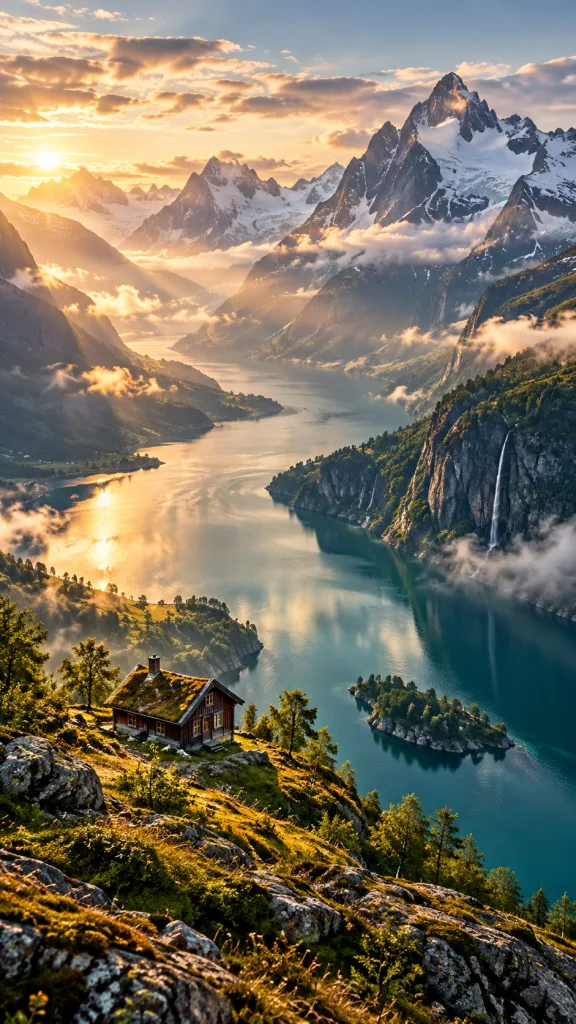
“A cinematic aerial shot glides along a Norwegian fjord between towering mountains as morning mist rises and sunlight reaches a small wooden cabin. No people, realistic scenery, gentle camera movement.”

“A slow camera move passes towering sandstone columns and a monumental statue at an ancient Egyptian temple overlooking the Nile at golden hour. Warm light, drifting haze, no on-camera presenter.”

“A wide cinematic view slowly moves toward a lone astronaut seen from behind on a moon ridge, beneath an enormous ringed planet and a sky filled with stars. Subtle movement, realistic terrain, no visible face.”
Use a prompt or image to create a short scene, then refine your direction or download the result.
Write what you want to see, or upload a starting image in a supported image-to-video mode.
Select a model and available format, duration, and resolution. The generator shows the credit cost before you submit.
Preview the finished clip and download it. To try a different direction, adjust your prompt and start another generation.
Learn what you can create and how the faceless reels generator works.
Faceless reels are short videos that tell a story without an on-camera presenter. They can feature scenery, historical settings, objects, or imagined worlds, with motion carrying the visual story.
Start with a text prompt describing your scene, or upload a starting image. Choose a video model and its supported settings, then generate a clip you can preview and download.
Yes. Select a model that supports the 9:16 aspect ratio and choose it in the generator. Available formats, durations, resolutions, and audio options depend on the selected model.
Yes. Choose a model with image-to-video support, upload your starting image, and describe the motion you want. Supported inputs and image limits appear in the generator.
Video generation uses credits. The amount depends on the model and settings you choose, including duration, resolution, and audio where supported. The generator shows the cost before you submit.
Turn a scene from your imagination or an image you already have into a short AI-generated video.